 Bizzy
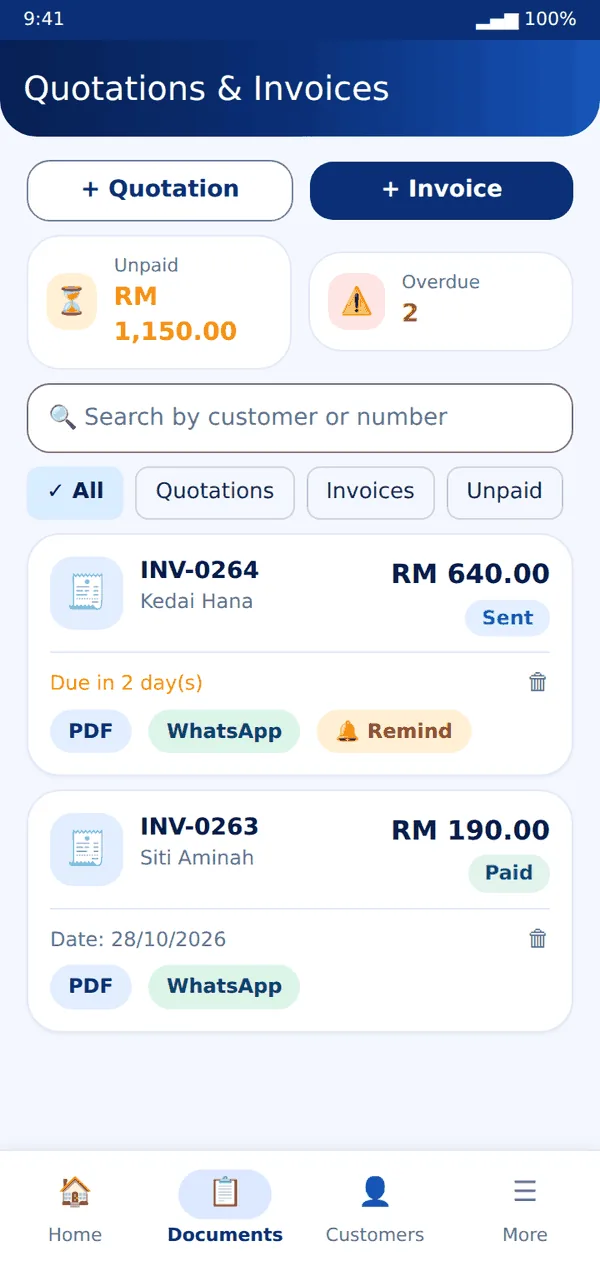
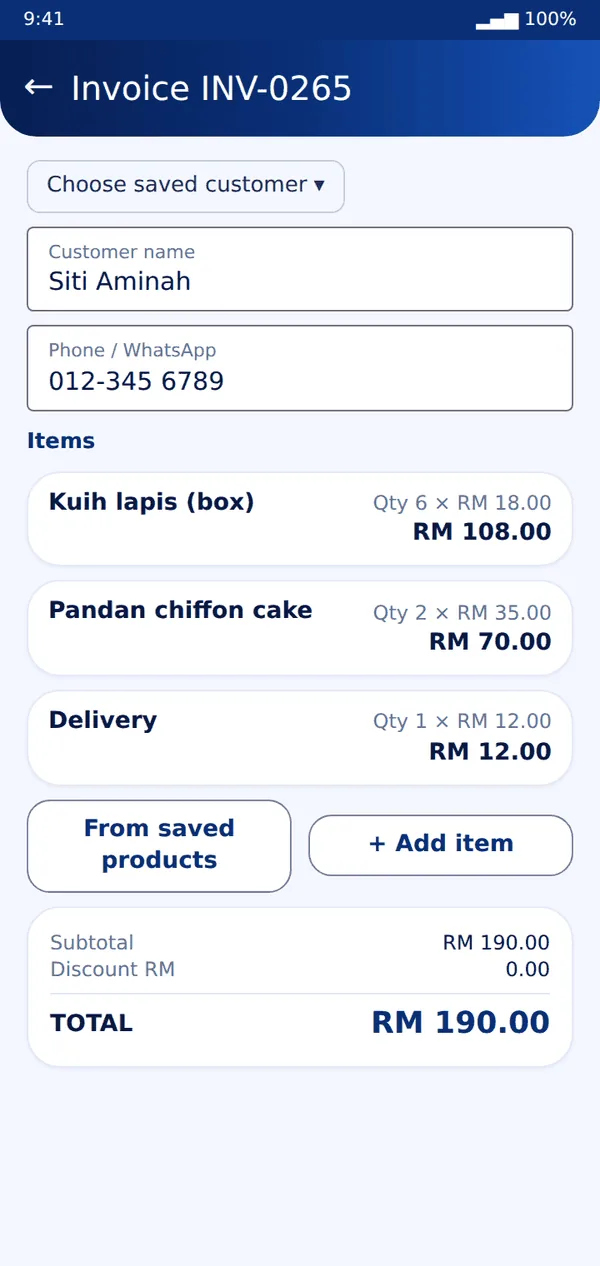
Bizzy- Open the Documents tab and tap + Invoice or + Quotation.
- Choose a saved customer or type a new one. Add items with quantity and price, then a discount or tax if needed.
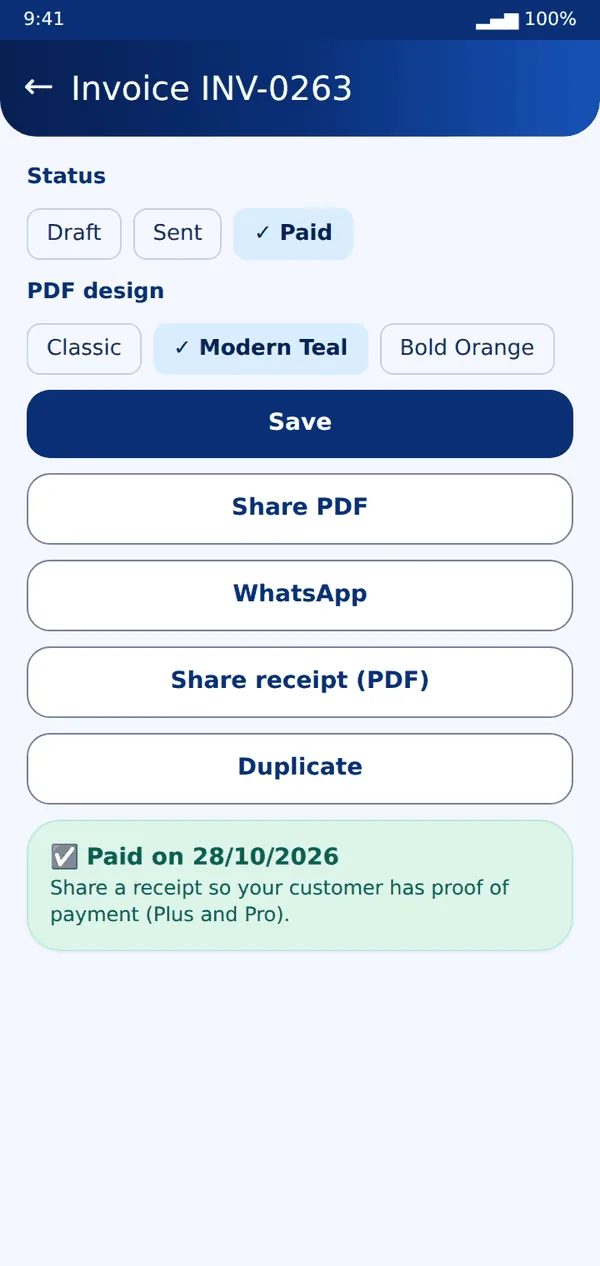
- Pick a PDF design. Plus and Pro have more designs. Pro can add your logo, colour, payment QR and signature.
- Tap Share PDF or WhatsApp. To turn a quotation into an invoice, open it and tap Convert to invoice.
- When the customer pays, set the status to Paid. Then tap Share receipt (Plus and Pro).
- For unpaid invoices, tap Remind on the invoice card to send a friendly WhatsApp reminder (Plus and Pro).
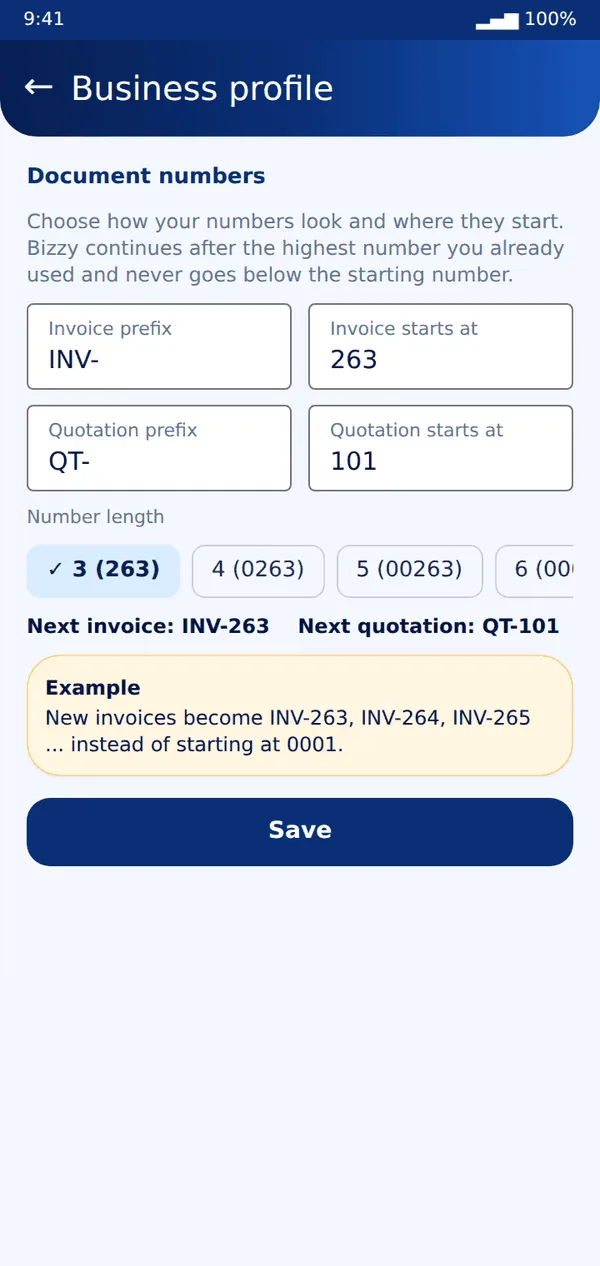
- Want your numbers to start at 263? Go to More → Business profile → Document numbers. Set the prefix and "starts at" for invoices and quotations.
Tip: Use Duplicate to copy a document for a repeat customer.
Still stuck? Message us on WhatsApp and we will help.