 Bizzy
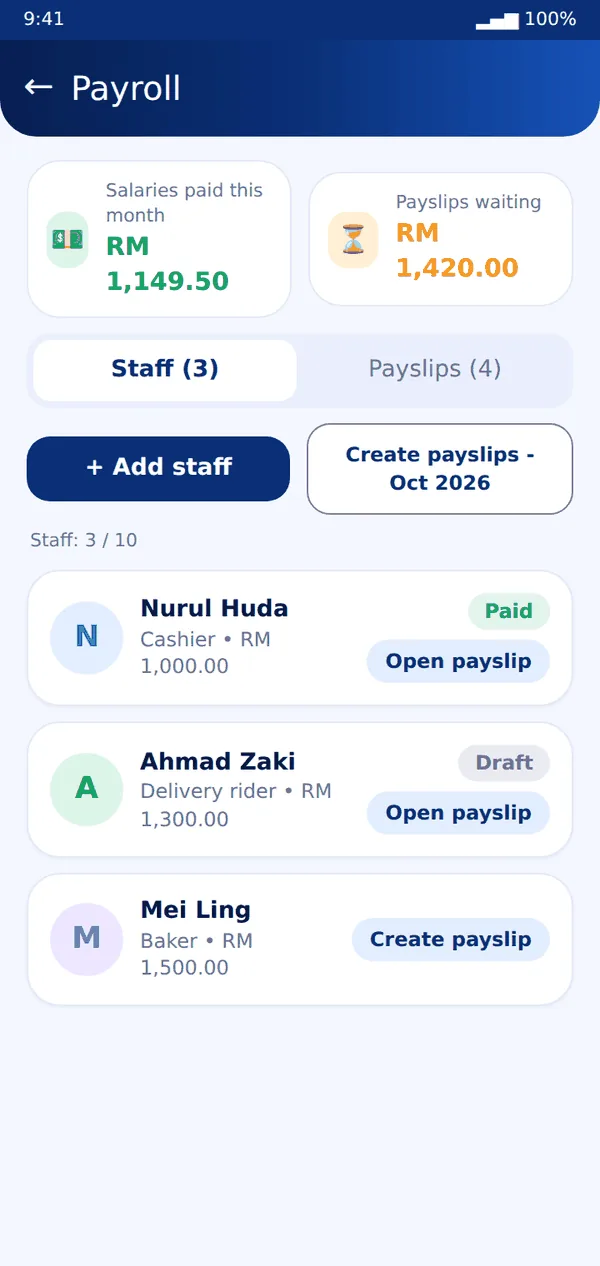
Bizzy- Open Payroll from Home or from More.
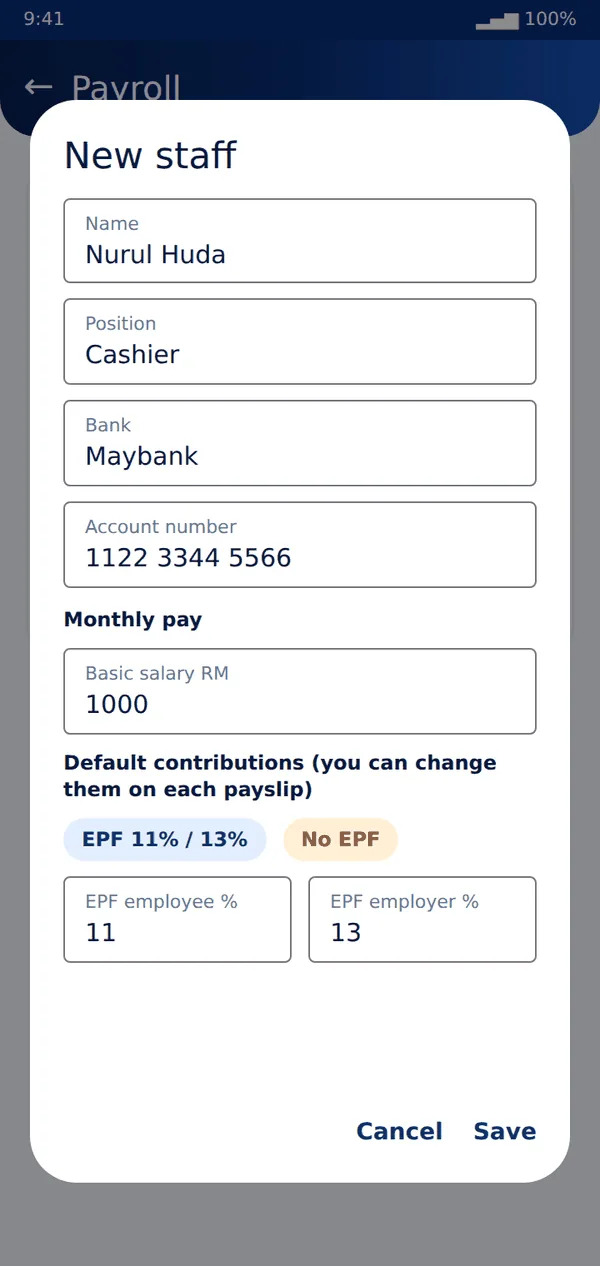
- Tap + Add staff. Enter name, position, bank details, basic salary and the default EPF, SOCSO and EIS amounts.
- Each month tap Create payslips. Bizzy makes a draft payslip for every staff member who is still employed.
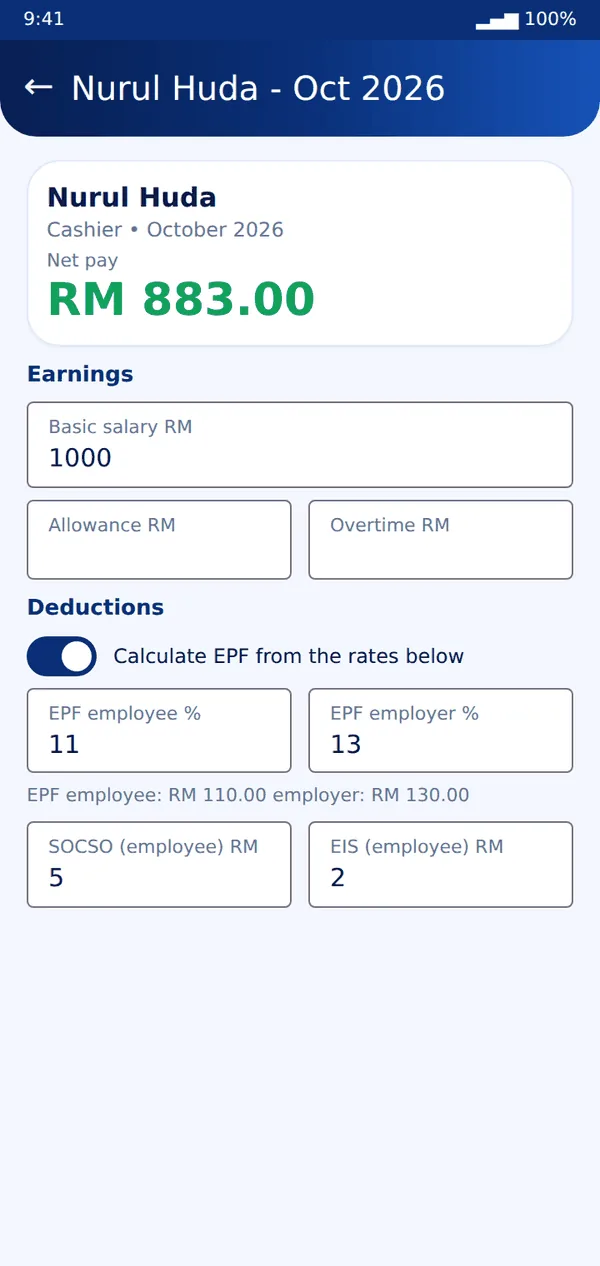
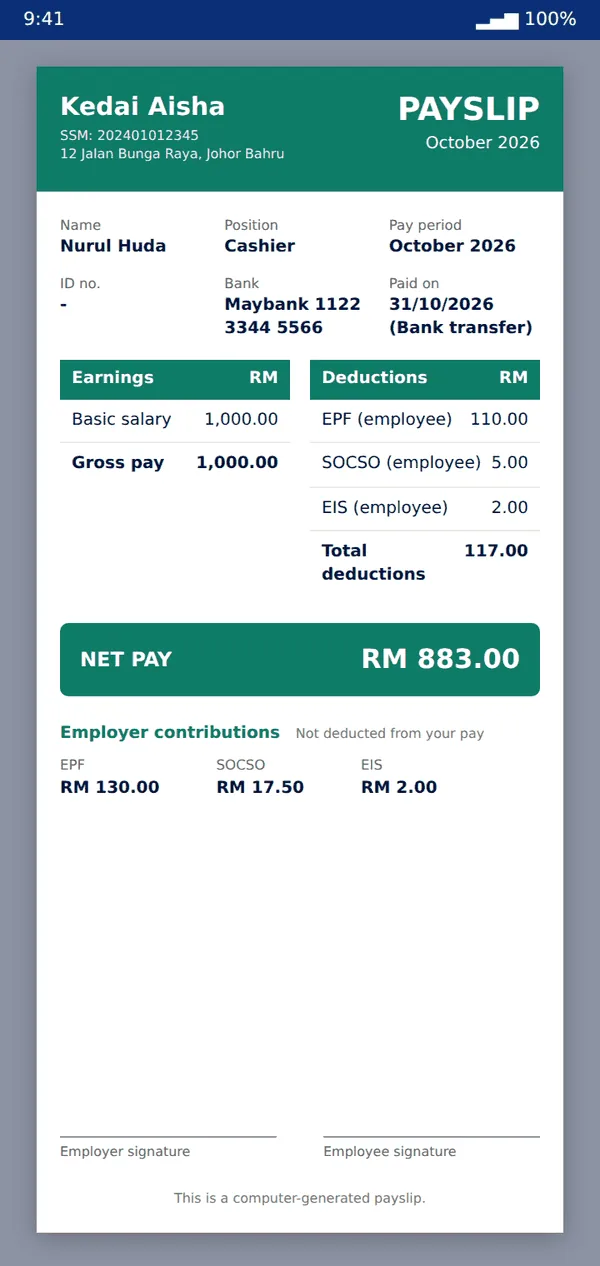
- Open a payslip to add overtime, bonus or deductions. The net pay updates as you type.
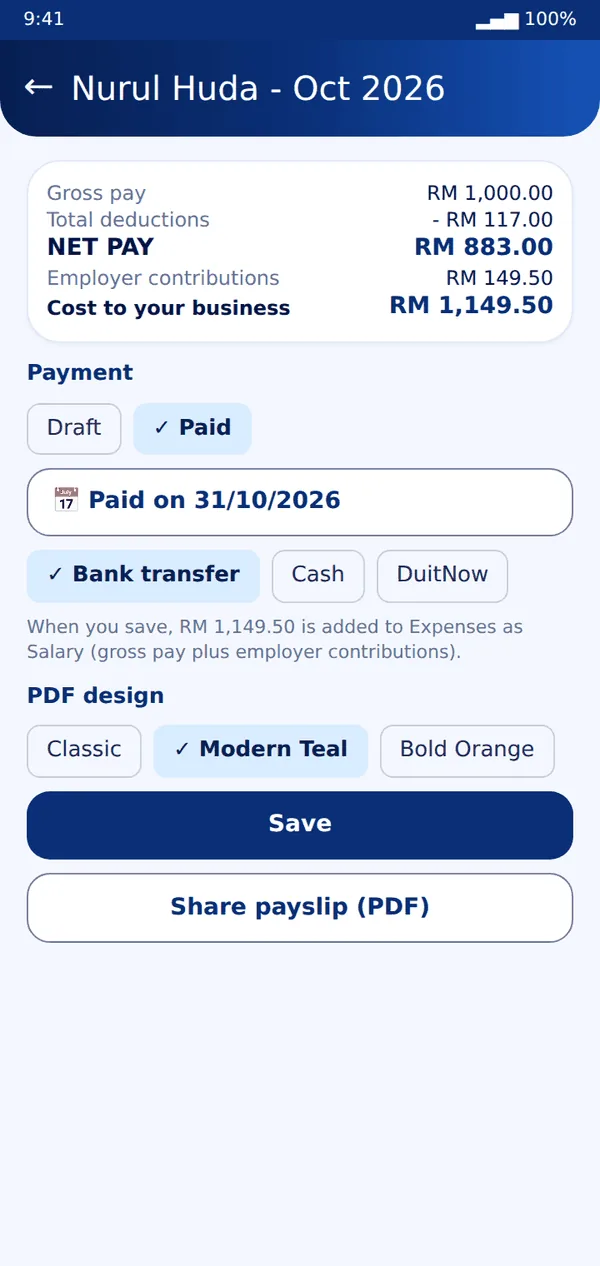
- Choose Paid, the pay date and method, then Save. Bizzy adds the salary to Expenses for you - nothing to type twice.
- Pick a design (Plus and Pro) and tap Share payslip (PDF) to send it to your staff. Pro adds your logo, colour and signature.
Tip: EPF, SOCSO, EIS and PCB amounts depend on the law and on each person. Bizzy gives you the lines to fill in - always check current rates with KWSP, PERKESO, LHDN or your accountant.
Still stuck? Message us on WhatsApp and we will help.